
Seamless Moodle Quiz Integration
Transform your Moodle quizzes into cheat-proof assessments with our advanced remote proctoring and lockdown browser technology.
Zero code changes required in Moodle. Plug and play solution.
 +
+

Built for Moodle Quiz Platform
Transform your Moodle quizzes into secure, proctored assessments without any code changes. Our solution integrates directly with Moodle's native quiz module for a seamless experience.
How It Works
Download Lockdown Browser
Student downloads and installs the secure lockdown browser on their windows or Mac device in seconds.
Log into Moodle
Student logs into Moodle and selects the quiz they need to take.
Proctoring Auto Starts
Remote proctoring automatically activates as soon as the student starts the quiz.
No Code Changes
Integrate seamlessly with Moodle's built-in quiz platform without modifying any code. Simple setup, instant results.
Native Quiz Support
Works directly with Moodle's standard quiz module. All your existing quizzes become instantly proctored.
Automatic Security
Remote proctoring and lockdown browser automatically activate when students launch Moodle quizzes.
Easy for Students
Students access quizzes through Moodle as usual. One-click download of the secure browser, no technical expertise needed.
Unified Dashboard
A proctoring dashboard is provided for all proctoring data, recordings, and AI alerts which can be integrated into your in house dashboard.
Instant Activation
Enable proctoring for any quiz with a single checkbox. Turn it on or off anytime, no IT support required.
Proctor Moodle Quizzes from Anywhere
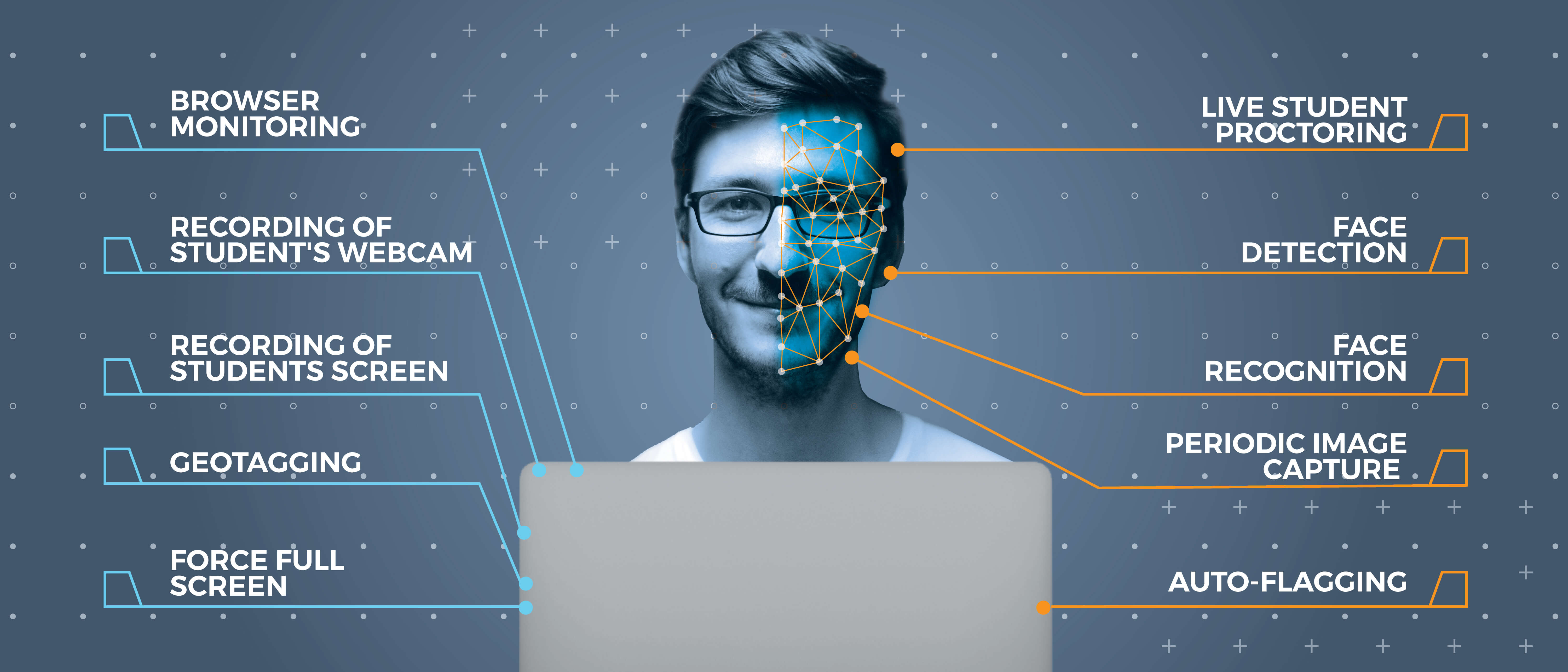
Monitor students in real-time as they take Moodle quizzes from their homes. Our remote proctoring integrates seamlessly with Moodle's quiz interface.
Live webcam and screen recording during quiz attempts
AI-powered suspicious behavior detection and alerts
Post-exam review with timestamped recordings

Secure Lockdown Browser for Moodle
Our customized lockdown browser integrates seamlessly with Moodle's quiz platform to create a controlled testing environment. Students take quizzes through the secure browser, which prevents cheating while maintaining the familiar Moodle interface.
Without a secure lockdown browser integrated with Moodle, there's no way to ensure quiz integrity. Students could easily use screen-sharing to get remote help or access unauthorized resources during the quiz.

Lockdown Browser Security Features

Navigational lockdown
Students cannot exit the Moodle quiz window until completion, preventing access to browsers, documents, or other resources.

Disable Copy / Paste
Copy-paste shortcuts are disabled to prevent students from copying quiz questions or pasting external content.
Blacklist Softwares
Screen sharing tools like Anydesk and TeamViewer are automatically blocked during Moodle quiz sessions.

Screen Blackout
Background screen recording software cannot capture the Moodle quiz content, preserving question confidentiality.

Prevention of Screenshots
Screenshots of the quiz window are automatically blocked to protect quiz content.

Multiple Screen Detection
External monitors are detected and students must disconnect them before starting the Moodle quiz.

Virtual Machine Detection
Detects if the browser is running in a virtual machine and prevents quiz access to stop cheating attempts.

Deep Linking
Students can launch directly from Moodle into the secure browser with automatic authentication.

Customisable
Integrate your Moodle-specific APIs and workflows into the secure browser environment.

White Labelled
The secure browser can display your institution's branding alongside the Moodle interface.
Works on All Major Platforms

Windows

MAC

Linux
Ready to Secure Your Moodle Quizzes?
See how our secure lockdown browser integrates seamlessly with your Moodle platform to create cheat-proof assessments.
AI Anti-Cheating for Moodle Quizzes
Our AI continuously monitors student behavior during Moodle quiz attempts, detecting suspicious activities and providing detailed integrity reports.
Face Detection
AI verifies student identity and detects if multiple people appear during the Moodle quiz.
Multiple People Detection
AI instantly detects if more than one person is visible in front of the camera, flagging potential assistance or impersonation during the quiz.
Mobile Device Detection
AI identifies when students are using phones or tablets during the quiz attempt.
Voice Detection
Detect when students are speaking to someone off-camera during the assessment.
Suspicious Behavior Alerts
Real-time notifications when AI detects potentially dishonest behavior patterns.
Integrity Reports
Comprehensive AI-generated reports integrate directly into Moodle gradebook.
Frequently Asked Questions
Everything you need to know about integrating secure proctoring with your Moodle platform.
See Moodle Integration in Action
Schedule a personalized demo to see how seamlessly we integrate with your Moodle platform.